# Motion Anime Collection 1.0 (English subs) | Plex - Feb 15, 2026
#### Collection Overview
This collection includes all the motion anime releases that I could find the matching Product IDs for. These are mostly hard subbed. Only few of these have been English subbed. Refer to `Other helpful resources` section for any newer English sub releases.
#### Organization
All files are organized by series and episode number, making it easy for media managers like Plex etc. The folder names follow `Motion Anime ABCD-123 Name` format. For a few of them I couldn't find the codes so I kept their names only, but they are English subbed. I have kept the Japanese titles as it is easier to find them online than their English counterparts. I have also included a `folders-info.json` file containing all the info about video, audio and subtitles for all files in the collection. All the posters are included in every folder.
#### File Labels
Most of the files in the collection are labeled as `(RAW)` for episodes that currently do not have English subtitles available. Rest have English subtitles.
#### Seeding
I will try to seed this collection as much as possible, but I will definitely need help from the community to keep it alive. So please **Seed** it if you can!
#### Scripts
- `plex-metadata-updater.py`: A Python 3 script to update the metadata in Plex for unmatched shows. It updates, shows and seasons' titles, posters, fanart and banners. It also adds collection tags based on folder name prefixes. Make sure to set your Plex token in the script before running it by following [these](https://support.plex.tv/articles/204059436-finding-an-authentication-token-x-plex-token/) steps. In order to run the script, first install the required dependencies using `pip install plexapi` and then run the script using `python plex-metadata-updater.py --strip-motion-prefix`. It will perform a dry-run to show you the changes that will be made, and if everything looks good, you can run it again with `python plex-metadata-updater.py --strip-motion-prefix --apply` flag to apply the changes.
- `file-info.js`: A Node.js script to reconstruct the `folders-info.json` file. It reads all the files in the collection and updates the info file with the latest video, audio and subtitle info. To run the script, first install `ffmpeg` and make sure `ffprobe` is available in your system's PATH as a cli command. Then run the script using `node file-info.js {root-folder-here}`. It will update the `folders-info.json` file with the latest info for all files in the collection.
#### Acknowledgements
Thanks to everyone who made these files available. Especially,
- KyokuSai
#### Other helpful resources
- [English Hentai Collection](https://www.avxdown.com/?f=0&c=0_0&q=English+Hentai+Complete+Collection)
- [New english subbed motion anime releases](https://hentaigasm.com/genre/motion-anime/?orderby=date)
- [Newer HBXD releases](https://www.hobicolle.com/)
- [Newer APCP releases](https://www.appetite-game.com/001_product101.html)
- [World-PG releases 1](https://www.world-pg.com/worldpg-animation/001_product.html)
- [World-PG releases 2](https://www.world-pg.com/new_products/product/animetion.html)
- [World-PG releases 3](https://www.world-pg.com/new_products/product/anime.html)
- [Apadash releases](https://www.appetite-game.com/apadash/001_product101.html)
- [Apamotion releases](https://www.appetite-game.com/apamotion/001_product.html)
- [AMCP index](https://www.world-pg.com/AMCP/index.html)
- [Posters by ID search](https://www.suruga-ya.jp/)
## Plex Setup
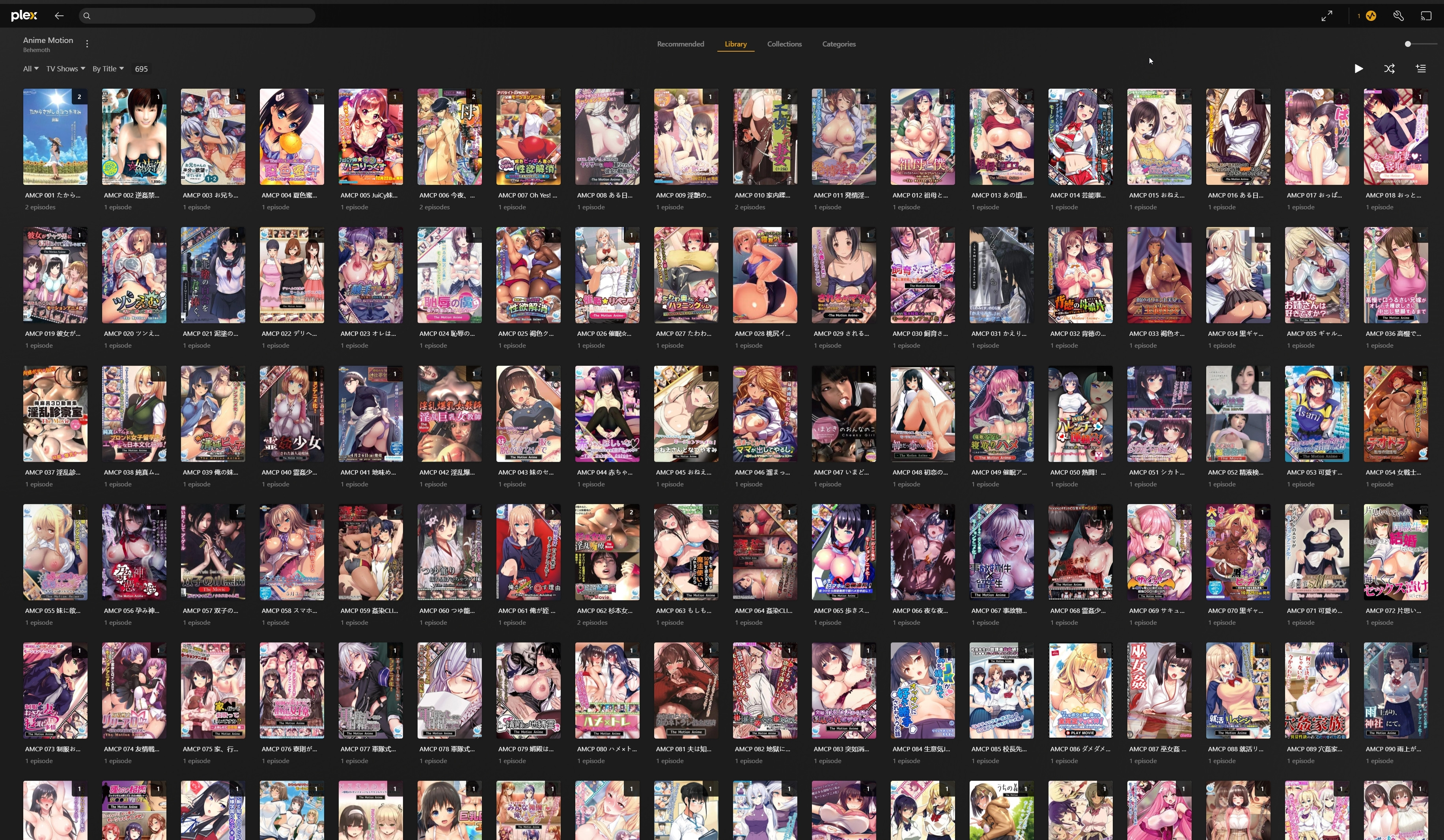
Create a plex library with `TV Shows` type and add the `Motion Anime` directory as the library folder. Once all the files are synced, make sure everything stays unmatched. Run the `plex-metadata-updater.py` script as mentioned above to add the posters and fix names of the shows. You can extend the script if you want to add more metadata or collection tags based on your preferences.
Note: **This will be my only release but feel free to continue the collection.**
Plex - Motion Anime Shows Alphabetical - 1
Comments - 0